Slides
You can find a download link for the slides of each video on the videos's page.
For your convenience we offer an archive of this week's slides here: Download zip
Material used in the Lectures
This week we have a lot of practical exercises in the video lectures for you using Python:
- Linked Data Programming Example (Lecture 6.1)
- Soccer Data Analysis (Lecture 6.4)
- Soccer Data Prediction (Lecture 6.5)
To allow you to follow along each exercise closely, we made all Python code available for you using Jupyter Notebooks.
The most convenient way to follow along is to copy the following Notebooks into your Google Drive. This way, you can also play around with the provided code, make further notes and so on. This requires you to have a Google account.
If you don't have a Google account, you can simply download the Python files and use the code locally on your computer. Then, we recommend to install Python and the SPARQL Wrapper tool.
To access the notebooks on Google Drive, you may have to connect the Colaboratory app. Google will automatically give you the option to connect the app if needed. Simply click on Open with Colaboratory as depicted below.
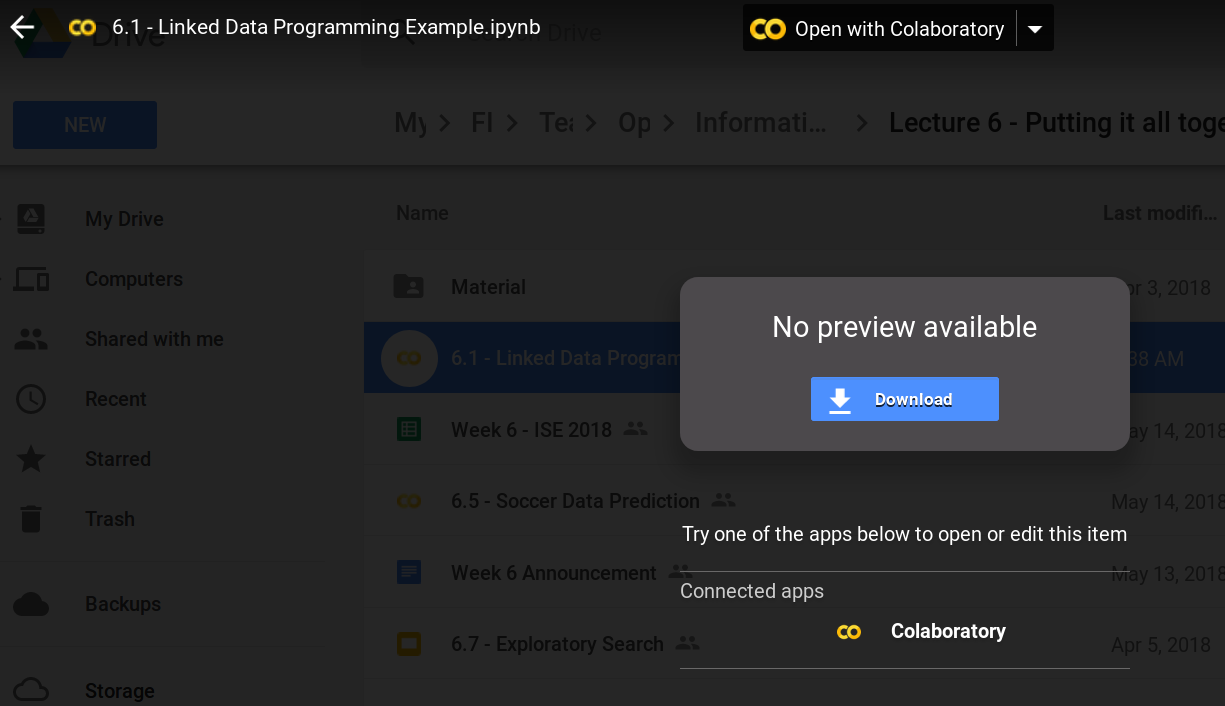
If you click on the provided links you can see that you have view only access to our notes on Google.
To copy the notebook to your Drive, please go to Files - Save a Copy in Drive as depicted below.
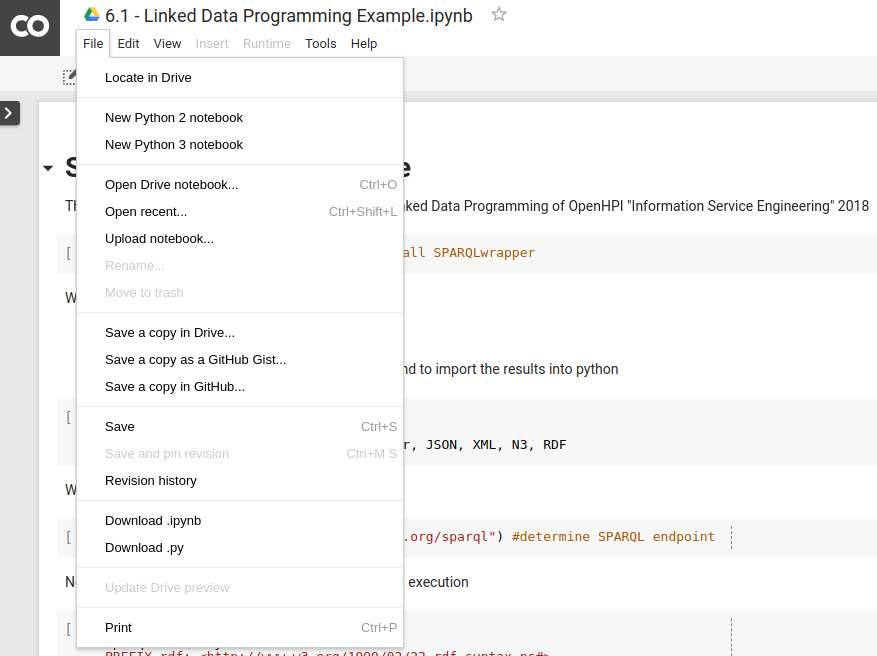
Now you can edit the code and play around with it as much as you like. We encourage the participants of this weeks practical exercises to discuss problems and ideas in dedicated collaboration spaces or the discussion forum. We are happy to answer your questions, but please do not expect us to provide technical support. Nevertheless, all participants are invited to provide their help.